How to Customize the WooCommerce My Account Orders Table
Add or remove columns and row actions in the WooCommerce My Account orders table with working PHP filter examples.
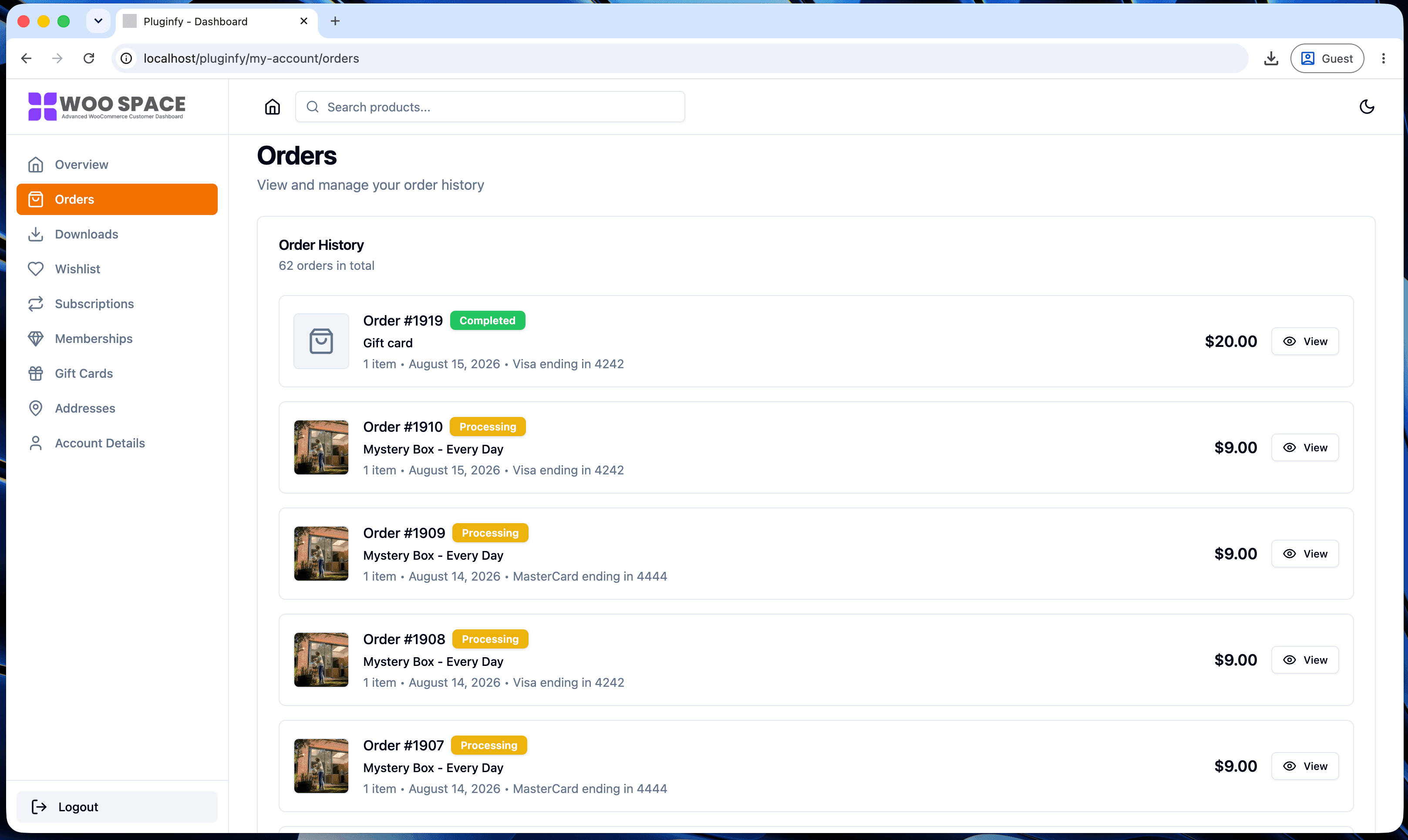
Two filters control everything about the orders table's structure: which columns appear, and which action buttons show on each row. Both requests we hear most often - "add a tracking column," "add a reorder button" - come down to using these correctly. If you'd rather not maintain custom filters as your needs grow, our order management dashboard spotlight covers what search, filtering, and status visibility look like built in instead.
The two filters
woocommerce_my_account_my_orders_columns controls the table's columns.
woocommerce_my_account_my_orders_actions controls the row action
buttons (the links/buttons shown per order, like "View" or "Pay"). Both
are simple array filters - add, remove, or reorder keys to change what
renders.
Adding a "Tracking" column
add_filter( 'woocommerce_my_account_my_orders_columns', function ( $columns ) {
    $columns['order-tracking'] = __( 'Tracking', 'your-textdomain' );
    return $columns;
} );

add_action( 'woocommerce_my_account_my_orders_column_order-tracking', function ( $order ) {
    $tracking_number = $order->get_meta( '_tracking_number' );

    if ( $tracking_number ) {
        echo esc_html( $tracking_number );
    } else {
        echo '—';
    }
} );
The column key (order-tracking) has to match between the filter that
registers the column and the action hook name
(woocommerce_my_account_my_orders_column_{key}) that renders its
content - the same key-matching requirement covered for menu items in
our custom tab tutorial.
This example assumes a _tracking_number order meta field exists; adjust
to match however your store actually stores tracking data.
Adding a "Reorder" action button
add_filter( 'woocommerce_my_account_my_orders_actions', function ( $actions, $order ) {
    if ( $order->has_status( [ 'completed' ] ) ) {
        $actions['reorder'] = [
            'url'  => wp_nonce_url(
                add_query_arg( 'reorder', $order->get_id() ),
                'woocommerce-reorder'
            ),
            'name' => __( 'Reorder', 'your-textdomain' ),
        ];
    }
    return $actions;
}, 10, 2 );
Restricting this to completed orders keeps a reorder link from showing
on orders still processing or already refunded, where it wouldn't make
sense. The URL handling that actually adds those items back to the cart
is a separate piece - a template_redirect hook checking for the
reorder query arg and nonce - not shown here since it's standard
cart-manipulation code rather than anything orders-table-specific.
Removing a default column
Less common, but sometimes wanted - hiding the "Total" column for a subscription-only store where every order is the same recurring amount, for example:
add_filter( 'woocommerce_my_account_my_orders_columns', function ( $columns ) {
    unset( $columns['order-total'] );
    return $columns;
} );
Styling the table responsively for mobile
Adding columns makes an already-wide table wider, which makes mobile responsiveness matter more, not less. See our CSS styling guide for the exact recipe that collapses this table into mobile-friendly cards
- it works the same way regardless of how many columns you've added,
since it keys off each cell's
data-titleattribute rather than a fixed column count.
FAQ
Do I need to touch the table's HTML/template file to add a column? No - both filters shown here work without any template override. Reach for a template override only if you need to change the table's structure beyond adding/removing/reordering columns and actions.
Will these customizations survive a WooCommerce update? Yes - these are standard filter hooks, not template overrides, so they carry the same update-safety as any other hook-based customization covered elsewhere in this series.
Can I reorder existing columns, not just add new ones?
Yes - since woocommerce_my_account_my_orders_columns returns a plain
array, you can unset and re-add keys in whatever order you want them to
appear, the same technique used for menu reordering in our customization
guide.
Skip the custom code — install NextDash
NextDash replaces the default WooCommerce My Account page with a modern React dashboard out of the box: order management, downloads, addresses, dark mode, and fast client-side navigation, no template overrides required.