NextDash Downloads Center for WooCommerce Digital Products
A better downloads experience for WooCommerce digital products: versioning, expiry visibility, and license keys in one place.
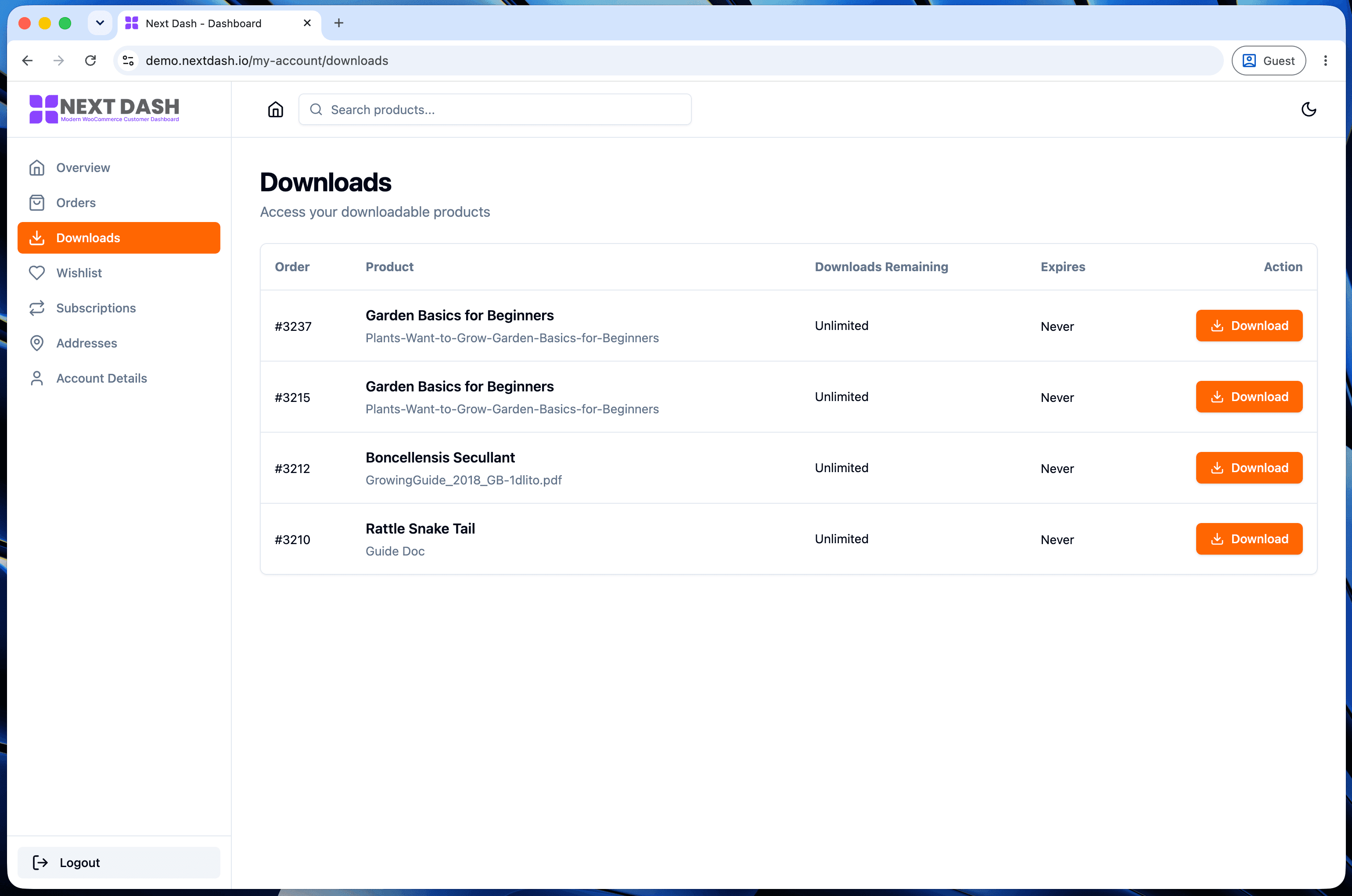
For stores selling digital products - plugins, courses, ebooks, software licenses - the downloads tab isn't a nice-to-have section of My Account, it's the product delivery mechanism. WooCommerce's default version treats it as an afterthought. Here's what a proper downloads center adds instead.
Default WooCommerce downloads tab limits
The stock downloads tab is a flat list: filename, a download link, and whatever expiry/remaining-count data exists, if it's shown at all. What's missing:
- Versioning context - if a product has shipped multiple versions, there's no clear indication of which version a given download link actually serves
- Expiry visibility - a link that's expired just stops working, often without explaining why to the customer, generating a support ticket instead of an obvious answer
- License key context - for licensed software, the download and the license key needed to activate it usually live on separate pages, requiring two lookups for one task
What a proper downloads center needs
Three things fix the gaps above directly: file versioning (so a customer can see which version they're downloading, and that a newer one may exist), expiry and remaining-download-count visibility (so a dead link comes with a reason instead of silent failure), and license key display alongside the download itself for products that need one.
How NextDash's downloads center surfaces this
This site is itself a real example of the pattern - NextDash sells a
licensed WordPress plugin, and its own license system (documented in this
project) works exactly the way a downloads center needs to support:
domain-based activation, normalized so https://www.example.com/ and
example.com count as the same site, with plan-based limits on how many
sites a license covers. Deactivating and reactivating a license reuses
the existing record rather than creating a duplicate - meaning a customer
moving a license from staging to production sees consistent history, not
a fragmented one. A downloads center built to support this shows the
license key next to the relevant download, with activation status visible
without a separate page.
Practical case: software and plugin sellers
For stores selling licensed software specifically, splitting downloads and license keys across separate systems means customers doing routine tasks - reactivating on a new domain, checking which sites a license covers, grabbing the latest version after an update - bounce between pages that should be one screen. Combining them is less about adding a feature and more about removing friction from something customers already need to do regularly. See our order management dashboard spotlight for the same principle applied to order history.
FAQ
Does this work for non-licensed digital products too (ebooks, courses)? Yes - versioning and expiry visibility apply regardless of whether a product needs a license key. The license key display is simply additional context shown when a product has one.
How does version visibility work if I update a file? The downloads center reflects whatever version metadata WooCommerce (or the store's own release process) associates with the file - it surfaces that context rather than generating it independently.
Is this specific to software, or does it help any WooCommerce digital product? Any digital product benefits from clearer expiry and versioning information; license key display specifically matters for licensed software. See our customization guide if you're comparing this against building a downloads improvement yourself.
Skip the custom code — install NextDash
NextDash replaces the default WooCommerce My Account page with a modern React dashboard out of the box: order management, downloads, addresses, dark mode, and fast client-side navigation, no template overrides required.