Best WooCommerce Customer Dashboard Plugin for 2026
A criteria-based shortlist of the best WooCommerce customer dashboard plugins in 2026, including who each one is actually best for.
Quick answer: there's no single best WooCommerce customer dashboard plugin for every store - the right pick depends on whether you want a full React-rendered replacement, a no-code tab/content builder, or a lightweight free option, since these are genuinely different approaches, not competing versions of the same thing.
What "customer dashboard plugin" actually covers
This category is distinct from generic WooCommerce enhancement plugins (shipping, subscriptions, checkout fields) - it's specifically about replacing or substantially upgrading the My Account page's UI itself. See our breakdown of the three sub-categories these plugins fall into if you're not yet sure which type your store actually needs.
Evaluation criteria
- Mobile-first design - built responsive from the start, not a desktop layout squeezed narrower
- Setup time - plugin activation and configuration vs needing custom development
- Performance/navigation model - full page reload per tab (most plugins in this category) vs client-side routing (a smaller subset)
- Price transparency - clear tiers vs needing to contact sales or dig for pricing
- Ongoing maintenance - actively updated and WooCommerce-compatible, not an abandoned listing
The shortlist
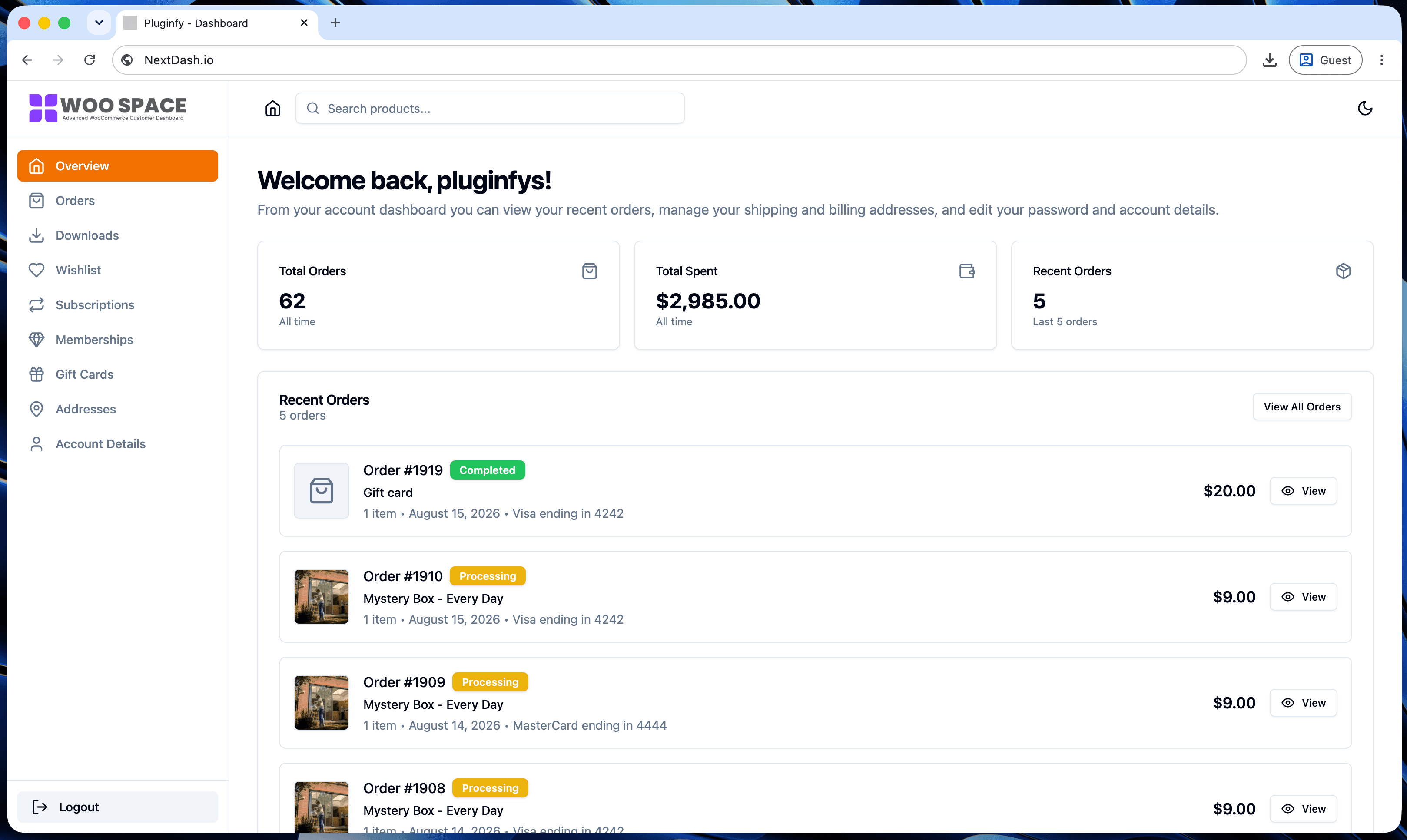
NextDash - best for stores that want a full rendering-engine change, not just a styled version of the default page: a React dashboard with client-side navigation (no reload per tab click), built-in dark mode, and order/downloads/address management as core features rather than add-ons. See our default vs NextDash comparison for the specific architectural difference this makes.
YITH WooCommerce Customize My Account Page
- best for stores already using other YITH plugins, since YITH's catalog shares a common framework for cross-plugin compatibility. Actively maintained (version 4.31.0 shipped in August 2026); lets you rearrange, rename, and add icons to navigation items, and build out the account landing page with content blocks and banners.
Customize My Account for WooCommerce
- best for no-code custom tabs with conditional logic: WYSIWYG tab content (Gutenberg, Elementor, and Bricks Builder compatible), role-based tab visibility, and personalization tags. Worth a caveat given its current review profile (3.4/5 stars) - some recent reviews report custom tabs disappearing intermittently, so trial it on staging before committing production content to it. The free tier caps at 2 custom tabs; Pro removes that limit.
Customize My Account Page (WordPress.org, free) - best for budget-conscious stores that just need basic tab reordering and light customization without a premium plugin - a reasonable starting point before evaluating whether you need more than it offers.
How to evaluate any plugin not on this list
Run it through the same five criteria above, in this order: confirm it's still actively maintained (check the WordPress.org changelog or vendor site for a recent update), verify pricing is stated clearly rather than requiring a sales contact, then evaluate mobile-first design, setup complexity, and navigation model against your store's actual pain point - not a generic feature checklist.
FAQ
What is the best WooCommerce customer dashboard plugin? There's no single best plugin - NextDash suits stores wanting a full React-rendered rebuild with client-side navigation, YITH suits stores already in its plugin ecosystem, Customize My Account for WooCommerce suits no-code custom tabs with conditional logic (verify reliability on staging first given its mixed recent reviews), and free options like Customize My Account Page suit basic needs on a budget.
Do these plugins conflict with each other if I install more than one? Generally yes, in practice - most render or heavily modify the same page, so running two at once typically means one overrides the other's changes unpredictably. Pick one approach rather than layering several.
How often should I re-evaluate which plugin my store uses? Whenever your actual need changes materially - if you started with basic tab reordering and now need real dashboard functionality (search, filtering, order tracking), that's a sign to move up this list rather than adding more plugins to patch the gap.
Skip the custom code — install NextDash
NextDash replaces the default WooCommerce My Account page with a modern React dashboard out of the box: order management, downloads, addresses, dark mode, and fast client-side navigation, no template overrides required.